
















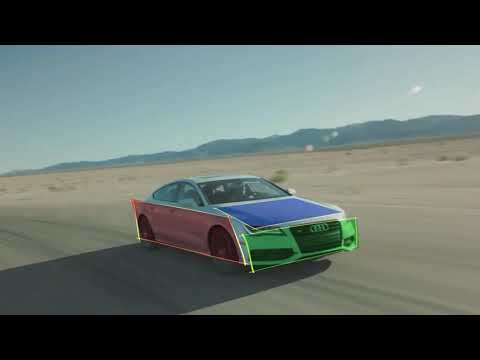
Boris Continuum Complete (BCC) 10 includes integrated Mocha tools for creating
roto-masks for isolating effects and advanced layering. Mocha’s streamlined
tools are built inside the PixelChooser to help save time and simplify complex
masking tasks.
In this slow paced, beginner tutorial, Mary Poplin shows you how to use planar
tracking and masking inside of Avid Media Composer using BCC’s Mocha powered
PixelChooser. Mary guides you through the Mocha interface and covers the
basics of planar tracking and linking mask shapes.
This tutorial has everything editors need to get started using Mocha for
robust and precise roto masks inside of the BCC 10 Pixel Chooser.
Subscribe to our newsletter
Get all the latest news, blog posts and product updates from Boris FX, delivered directly to your inbox.
Welcome!
Thanks for opting-in to our newsletter. You'll receive an email momentarily with your confirmation.
